> ## Documentation Index
> Fetch the complete documentation index at: https://docs.mistle.dev/llms.txt
> Use this file to discover all available pages before exploring further.
# Snapshots
> Start sessions from prepared sandbox profile images
## Overview
Snapshots are prepared sandbox images for published sandbox profile versions.
They make new sessions start from a profile-specific image instead of rebuilding everything from the shared base image every time. A snapshot captures the result of applying a published profile version's runtime plan and setup script to a one-off sandbox, then stores the resulting provider image handle on that profile version.
## What Snapshots Are For
Snapshots make sandbox startup faster and more predictable.
They are useful when a sandbox profile needs repeatable setup before users start sessions, such as:
* installing language runtimes or CLI tools
* preparing agent configuration
* applying setup scripts
* baking common dependencies into the launch image
Once a snapshot is ready, new sessions for that published profile version launch from the snapshot image.
## Lifecycle
Snapshots are tied to sandbox profile versions.
* Publishing a draft version queues the initial snapshot job.
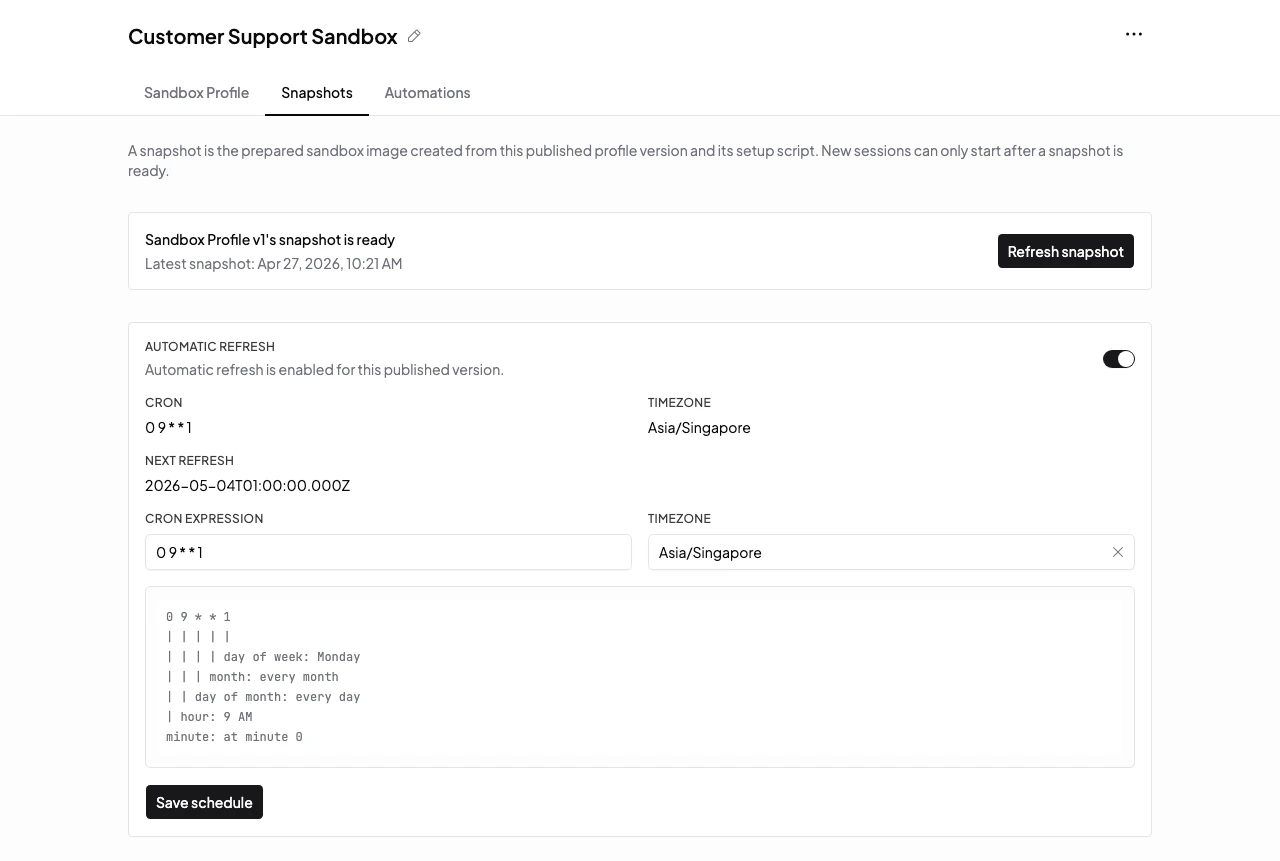
* Manual refresh queues a new snapshot job for an already published version.
* Scheduled refresh can queue snapshot jobs for profiles that need regular rebuilds.
* A profile version is not usable for new sessions until its published version has a usable snapshot image.
* Failed refreshes keep the existing usable snapshot when one already exists.
Only one queued or running snapshot job is allowed per profile version at a time.
## Check Snapshot Status
Snapshot status is shown on the sandbox profile version. Use it when a profile is not available for new sessions.
Common states to look for:
* queued or running: Mistle is still preparing the snapshot
* ready: new sessions can start from the prepared image
* failed: inspect the setup script and snapshot output, then refresh the snapshot after fixing the profile
 If setup changes are needed, edit the draft profile version, test the setup script, and publish a new version.
## What Snapshots Are Not
Snapshots are not per-session durable storage. They do not preserve the ongoing filesystem changes from a user's sandbox session.
Use snapshots when many future sandboxes should start from the same prepared image.
## Next Steps
* Read [Sandbox Profiles](/guides/sandbox-profiles) for the profile lifecycle.
* Read [Sessions](/guides/sessions) for how users start agent work from a prepared profile.
If setup changes are needed, edit the draft profile version, test the setup script, and publish a new version.
## What Snapshots Are Not
Snapshots are not per-session durable storage. They do not preserve the ongoing filesystem changes from a user's sandbox session.
Use snapshots when many future sandboxes should start from the same prepared image.
## Next Steps
* Read [Sandbox Profiles](/guides/sandbox-profiles) for the profile lifecycle.
* Read [Sessions](/guides/sessions) for how users start agent work from a prepared profile.