

Overview
Sandbox profiles define the execution environment an agent starts with. Use a sandbox profile to control:- the agent runtime, such as Codex or OpenCode
- the sandbox runtime, such as Docker or E2B
- installed tools and runtimes
- setup scripts
- allowed integrations and connection behavior
- repository access through a Git connection
- environment configuration required for agent work
Draft And Published Versions
Sandbox profile changes are made as drafts. Publishing a profile version makes that configuration available for new sessions. Published versions are immutable from the point of view of future sessions. To change the environment, edit the draft and publish a new version.Publish A Working Profile
A usable profile usually needs more than a name and base image. Before publishing, configure the pieces the agent will need at runtime:- Create or edit a sandbox profile draft.
- Choose the agent runtime.
- Choose the sandbox runtime and credentials.
- Select the model provider, Git connection, and connector integrations the profile should expose to sessions.
- Add repository or workspace configuration when the agent should work in source code.
- Write and test the setup script.
- Publish the profile version.
- Wait for the snapshot to become ready.
- Start a session from the published profile.
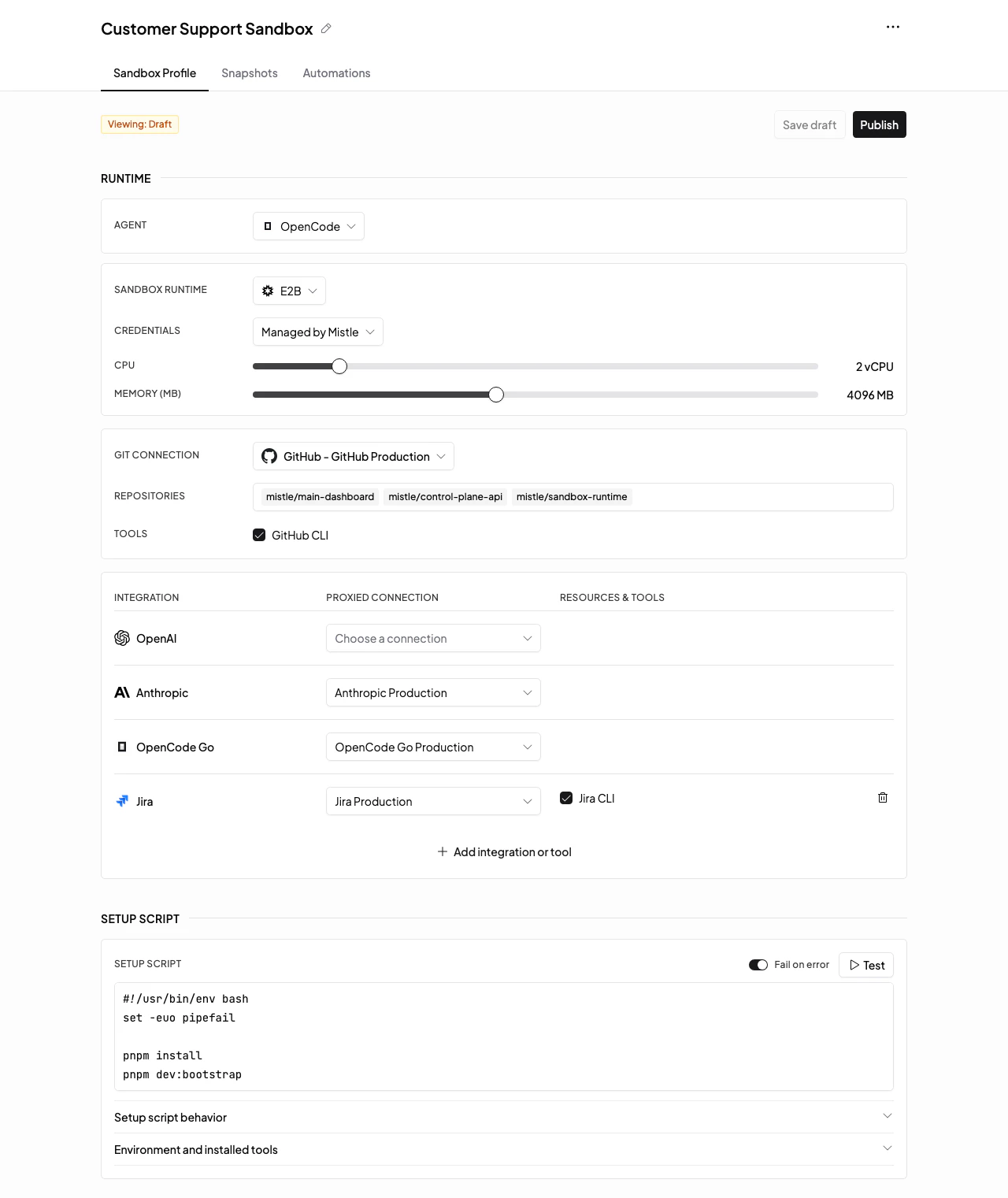
Runtime And Connections
The Runtime section controls what kind of agent starts and where it runs:- Agent chooses the agent runtime. Codex profiles use OpenAI-compatible model provider connections. OpenCode profiles can use OpenCode-compatible provider connections such as Anthropic and OpenCode Go.
- Sandbox Runtime chooses where the sandbox runs. Docker is used for local or self-hosted Docker deployments. E2B can be selected when the deployment and integration target expose it.
- Credentials controls whether the sandbox runtime uses Mistle-managed credentials or a workspace API key connection, when that provider supports both.
- Git Connection controls which Git provider connection supplies repositories and repository tools.
Setup Scripts
Setup scripts are custom preparation steps that run during snapshot creation. They make the profile’s starting environment explicit and repeatable, instead of leaving future sessions to depend on manual setup or agent-discovered setup work.Use Setup Assistant
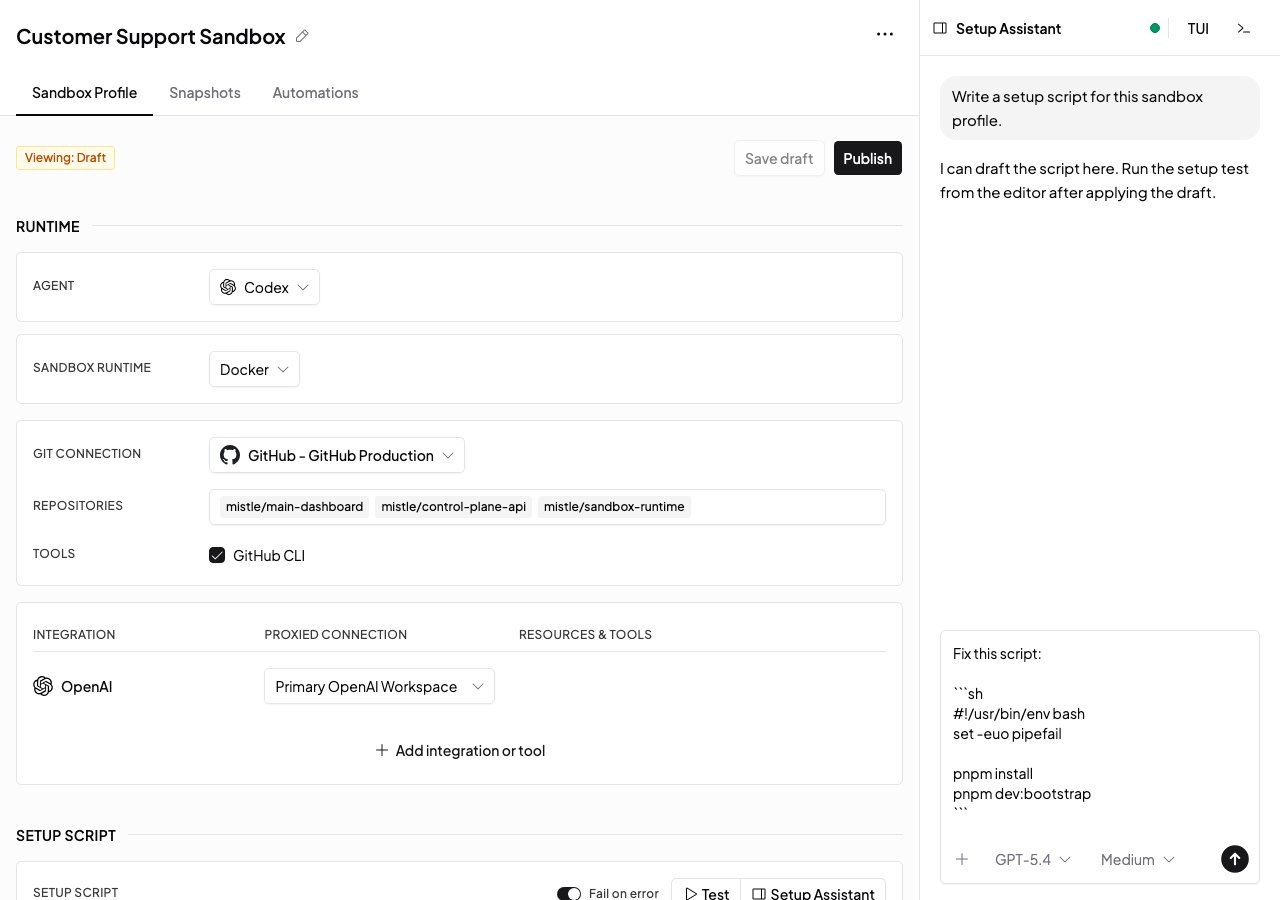
Setup Assistant opens an agent workspace beside the setup script editor so you can ask an agent to build or fix the draft setup script for the current profile. The assistant sandbox automatically has Mistle MCP enabled for the selected draft profile version. That lets the assistant read the profile context, update the draft setup script, and start setup-script test runs from inside its workspace. To use Setup Assistant:- Open a sandbox profile draft.
- Make sure the profile includes a model provider connection for the selected agent runtime.
- Select Setup Assistant from the setup script controls.
- Tell the assistant what the setup script needs to accomplish.
- Let the assistant write the script, run setup-script tests, and update the draft setup script.
- Review the updated setup script and test output before publishing the profile version.
Experiment With Setup Scripts
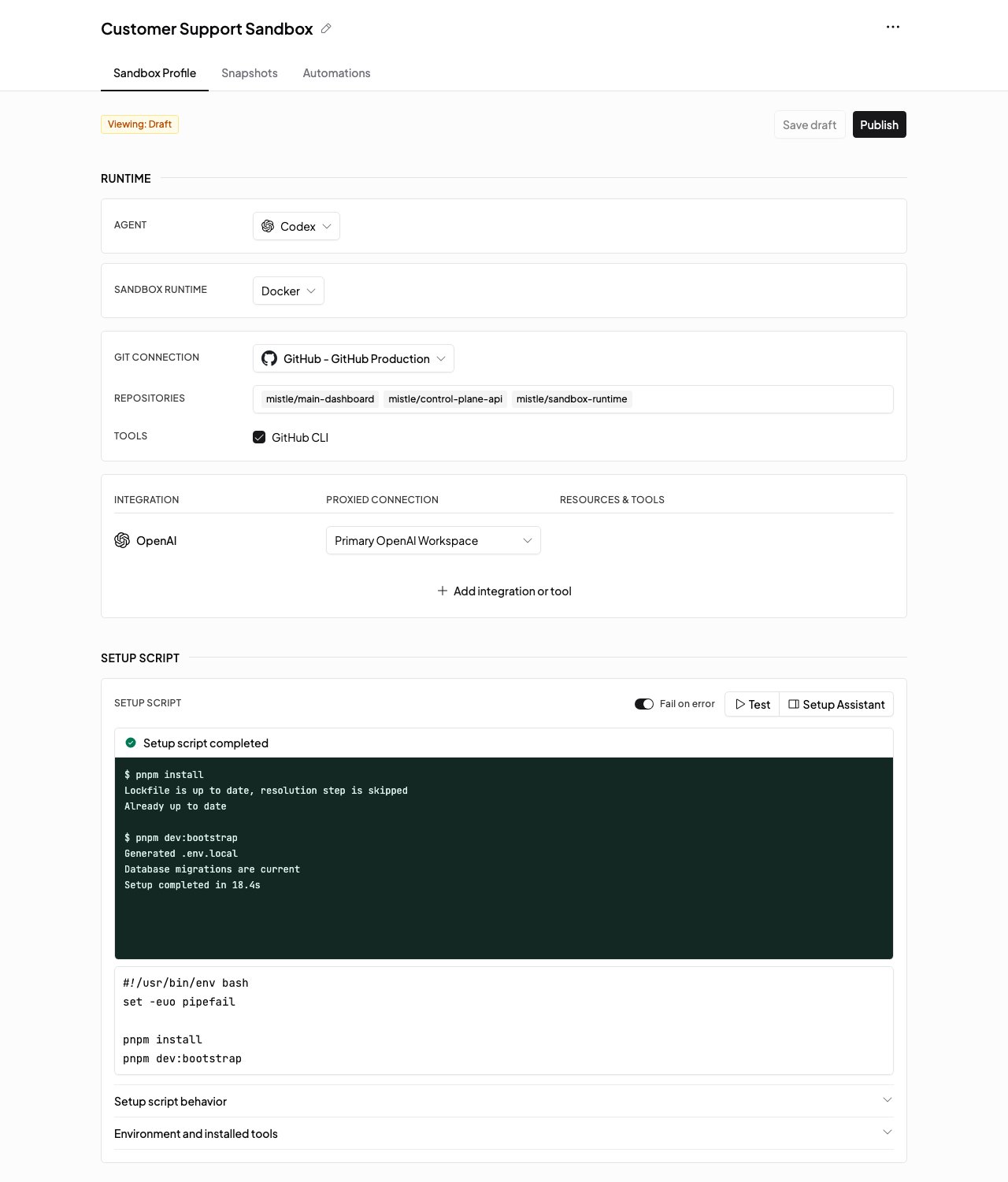
Setup script changes are made on draft profile versions. Published versions are read-only. To experiment with a setup script:- Open the sandbox profile.
- Edit the draft version.
- Update the Setup script field.
- Use Setup script behavior to confirm where repositories are cloned and which tools are available.
- Select Test setup script to run the script in a temporary sandbox.
- Inspect the test output, adjust the script, and test again.
- Publish the profile version when the script is reliable.
Snapshots
When a profile version is published, Mistle can prepare a snapshot for that version. The snapshot captures the prepared environment so new sessions can start from the profile-specific image instead of rebuilding from the shared base image every time. Read Snapshots for the snapshot lifecycle.Triggers On A Profile
Open the Triggers tab on a sandbox profile to see triggers that use that profile. From there you can create a new trigger preselected for the profile, or select an existing event or scheduled trigger to edit it without leaving the profile.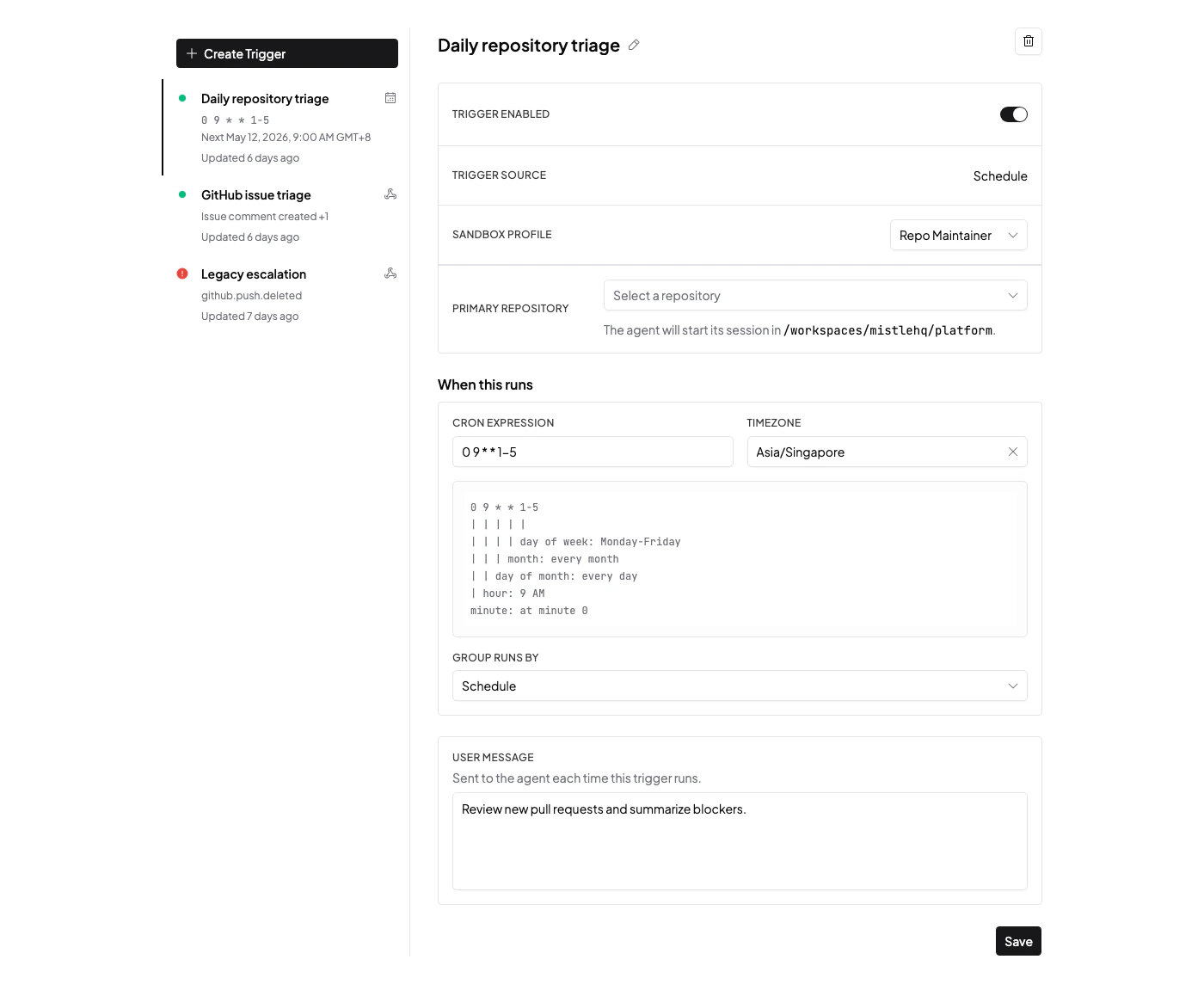
Next Steps
- Read Snapshots to understand prepared profile images.
- Read Sessions to see how users start work from a profile.
- Read Self-Hosted Configuration for deployment-level sandbox settings.