

Overview
Slack can be connected in two ways:- Slack app
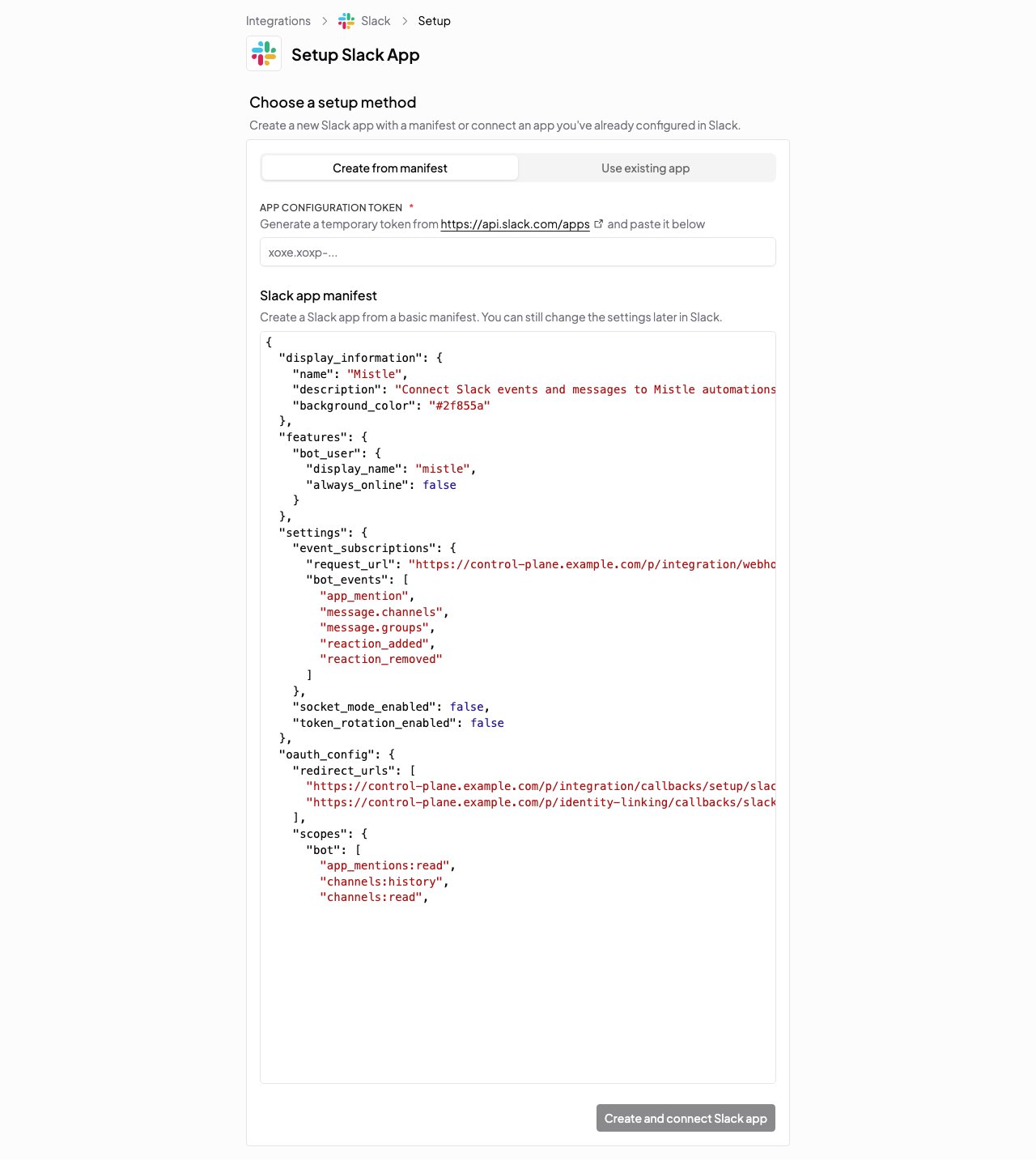
- Create from manifest (recommended): Mistle creates and configures the Slack app via a manifest
- Use an existing app: connect a Slack app you already created in Slack
- Bot token
- Use this when the connection only needs Slack app credentials and you do not want Mistle to create the app from a manifest
Option 1: Connect With A Slack App
Set up a Slack app, configure the required bot scopes and event subscriptions, install it to your workspace, then connect it to Mistle with the bot token and signing secret. Choose one of these setup paths:- Create from manifest (recommended): Mistle creates and configures the Slack app via a manifest.
- Use an existing app: connect a Slack app you already created in Slack.
Option 1A: Create From Manifest (Recommended)
- Open Integrations in the dashboard and choose Slack.
- Select Slack app.
- Choose Create from manifest.
- Generate a Slack app configuration token in Slack and paste it into Mistle.
- Review and edit the manifest before creating the app.
- Submit the manifest to Slack.
- Approve the Slack app installation in your workspace.
- Return to Mistle to complete the connection.
Option 1B: Use An Existing Slack App
If you already created a Slack app, you can connect it directly in Mistle.Configure Bot Scopes
Add these bot scopes before installing the app:Configure Event Subscriptions
Enable the Slack Events API and subscribe the bot to these events:Install The App And Collect Credentials
Install the Slack app to the workspace, then collect:- The bot token (
xoxb-...) - The signing secret from the app’s Basic Information page
Connect The Existing App In Mistle
Open Integrations in the dashboard, choose Slack, then select Slack app. Enter:
The linked-user auth fields are required when this connection will be used for Identity Linking. Standard Slack bot usage does not require them.
Webhooks
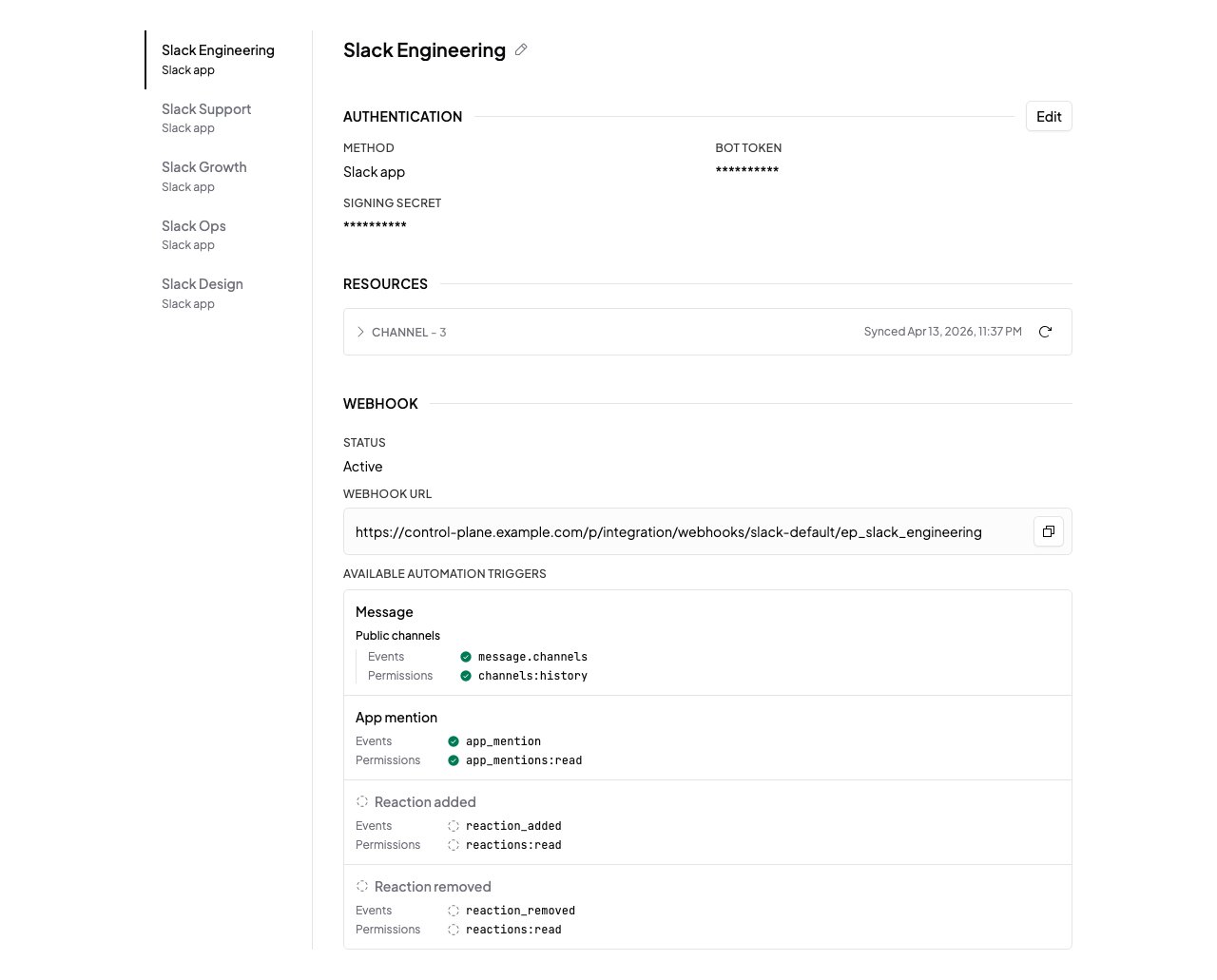
If you use Slack triggers:- Open the connection’s Webhooks section in Mistle.
- Copy the displayed callback URL.
- Paste it into the Slack app’s Events API Request URL field.
- Save and verify the request URL in Slack.
Private Channels
If you want Mistle to sync or trigger from private channels, invite the Slack app to each private channel you want to use. Slack only delivers private-channel messages and events to apps that are members of that channel. If the app is not a member, Mistle cannot see activity in the channel, sync it as a selectable resource, or respond toapp_mention events there.