

Overview
Triggers start agent work in response to external events, such as webhook deliveries from connected systems, or from a saved schedule. Use triggers when a team wants Mistle to react to provider activity or time-based schedules without a user manually starting every session. Examples include:- responding to Slack app mentions
- reacting to GitHub events
- starting triage or follow-up work from integration webhooks
Requirements
Triggers depend on the same building blocks as interactive sessions:- a sandbox profile that defines the agent environment
- integrations that connect the external systems involved
- webhook or callback configuration for providers that send events to Mistle
- account linking when provider activity should be attributed to a specific Mistle user
Trigger Types
Mistle supports two trigger shapes:- Event triggers respond to provider events, such as Slack app mentions or GitHub webhooks.
- Scheduled triggers run on a saved schedule and start work without waiting for a provider event.
Create A Trigger
To create a trigger:- Open Triggers.
- Create a new trigger.
- Choose the sandbox profile that should run the work.
- Choose whether it should be event-triggered or scheduled.
- Select the integration event or schedule.
- Choose the primary repository when the selected profile provides repository options.
- Describe the task or instructions the agent should follow.
- Save the trigger.
Event Triggers
Event triggers listen for a provider event, such as a Slack app mention, then start agent work with the selected sandbox profile and repository context.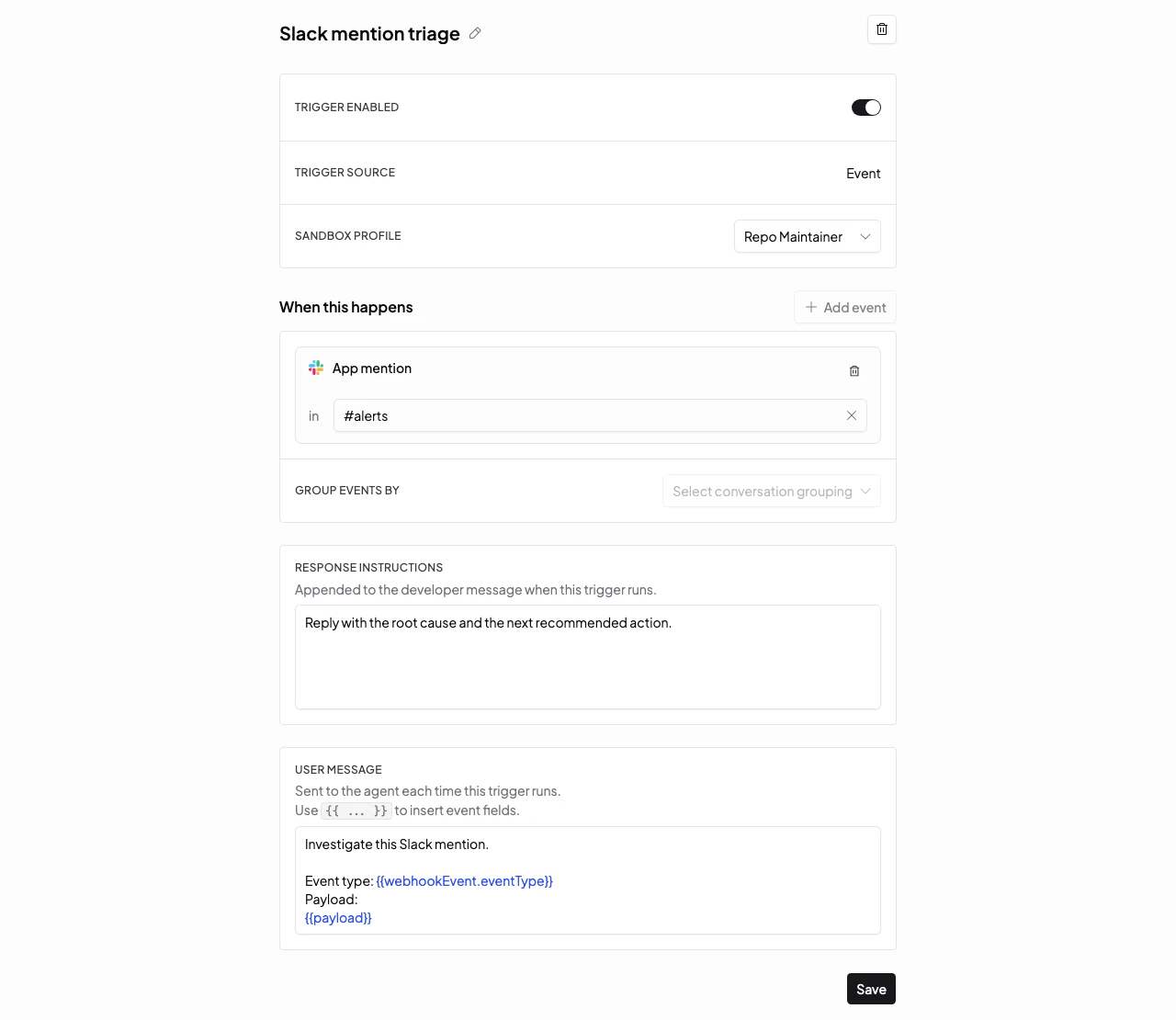
Scheduled Triggers
Scheduled triggers run from a saved schedule. The schedule, timezone, sandbox profile, repository, and instructions define what work Mistle starts each time the schedule fires.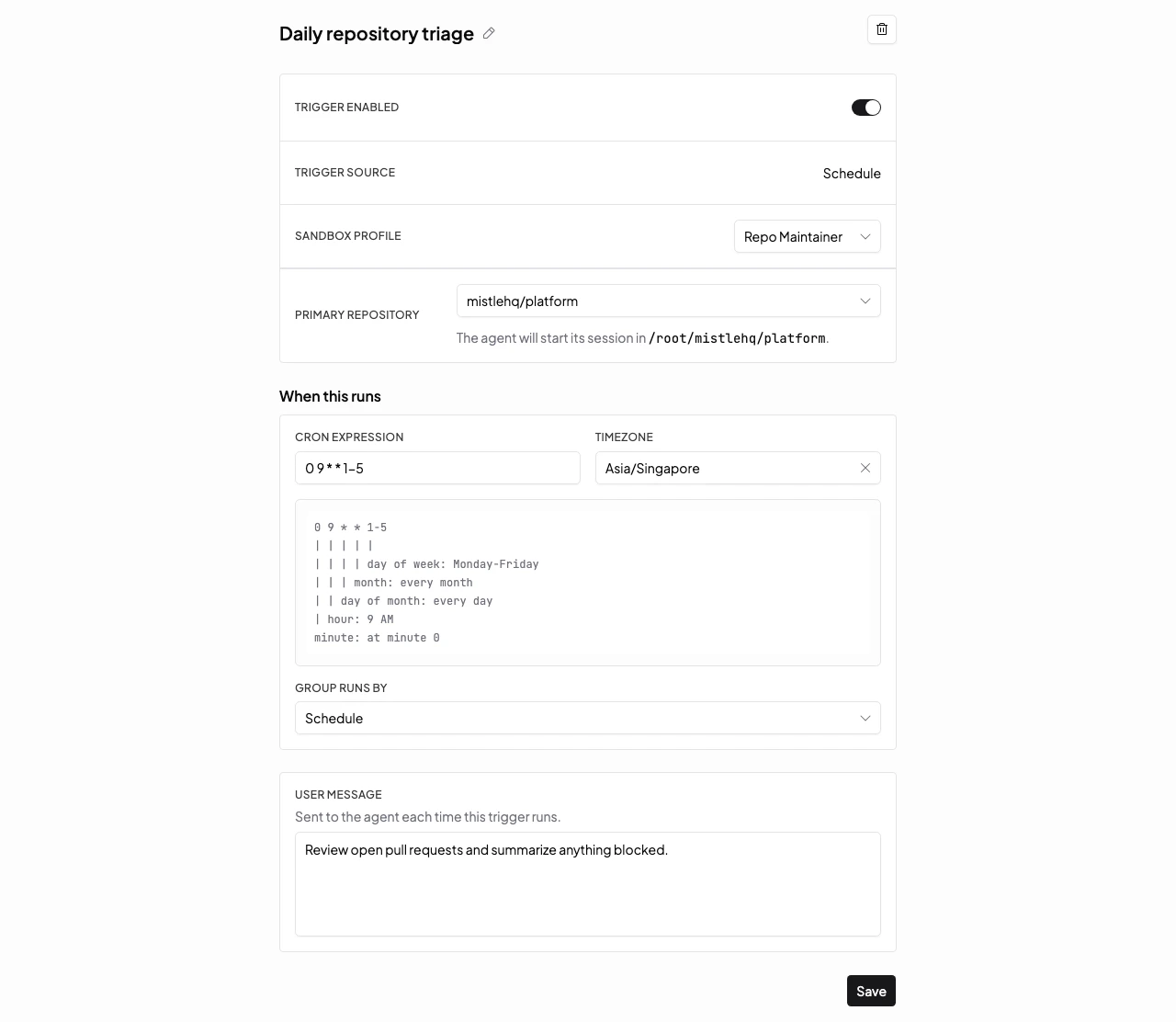
Primary Repository
For triggers, the primary repository is saved with the trigger target. Each run uses it as the agent’s startup working directory, so event-triggered and scheduled work begins in the intended repository without a user choosing it at runtime. Set the primary repository to the repo where the trigger should read instructions, discover skills, run commands, and collect code changes. If it is left unset, the trigger can still start from the selected sandbox profile, but repository-specific behavior depends on the profile’s default workspace rather than an explicit repository choice.Manage Triggers From A Profile
Each sandbox profile has a Triggers tab that lists event and scheduled triggers using that profile. Use it when you want to review profile-specific trigger behavior, edit a trigger in place, or create a new trigger already scoped to that profile.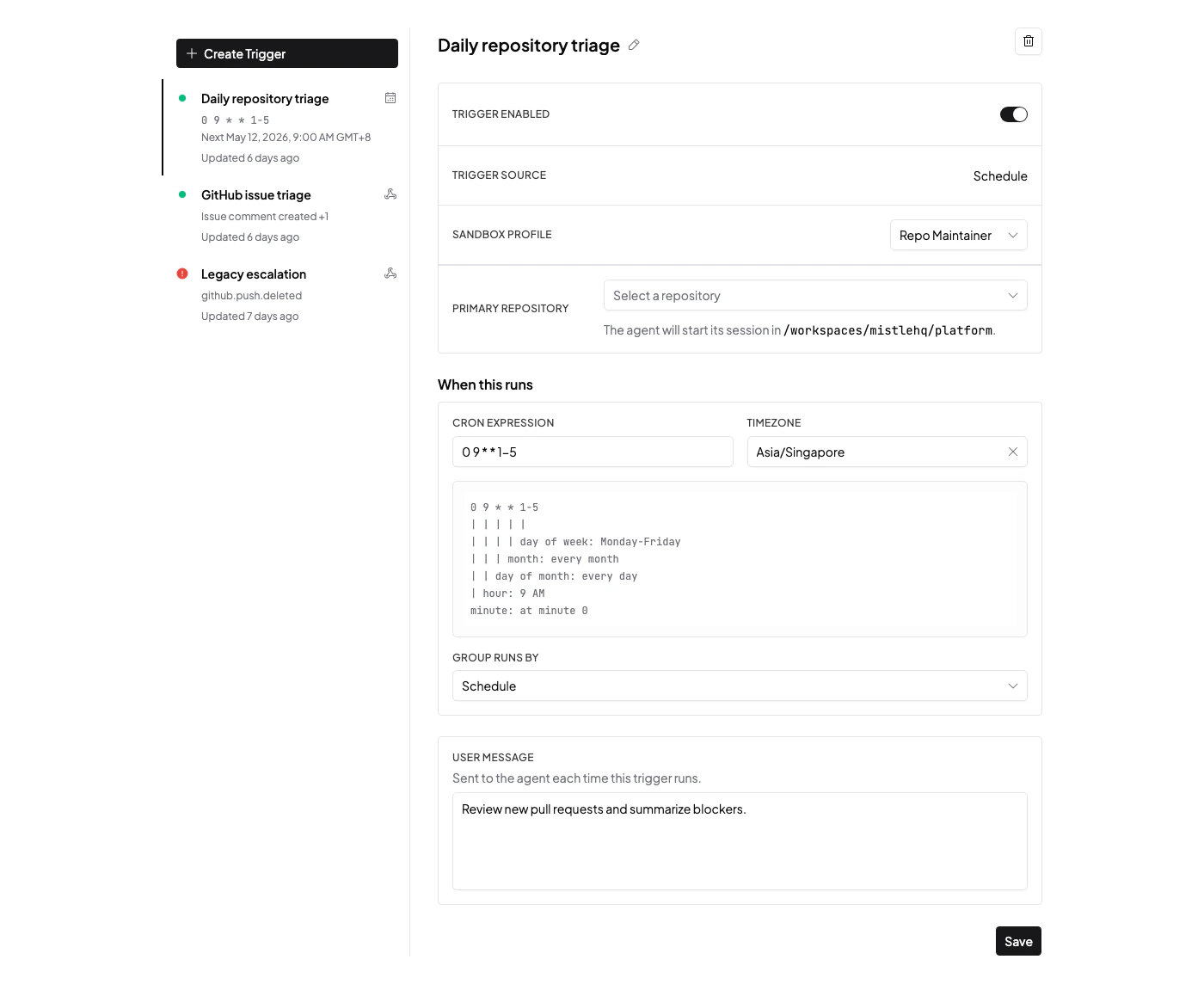
Event Flow
A typical trigger flow is:- A provider sends an event to Mistle.
- Mistle validates the event and resolves the relevant organization, integration, resource, and requester context.
- Mistle starts agent work using the configured sandbox profile.
- The agent uses configured integrations to complete the task and report back through the appropriate system.
Attribution
When a trigger is started by a provider user, Mistle can use account linking to resolve that provider identity back to a Mistle user. Read Account Linking for identity attribution across providers.Next Steps
- Read Integrations for the provider connection model.
- Read Account Linking for requester attribution.
- Read Sandbox Profiles and Sessions for the execution environment used by trigger runs.
- For self-hosted deployments, read Webhook And Callback URLs.