

Overview
Snapshots are prepared sandbox images for published sandbox profile versions. They make new sessions start from a profile-specific image instead of rebuilding everything from the shared base image every time. A snapshot captures the result of applying a published profile version’s runtime plan and setup script to a one-off sandbox, then stores the resulting provider image handle on that profile version.What Snapshots Are For
Snapshots make sandbox startup faster and more predictable. They are useful when a sandbox profile needs repeatable setup before users start sessions, such as:- installing language runtimes or CLI tools
- preparing agent configuration
- applying setup scripts
- baking common dependencies into the launch image
Lifecycle
Snapshots are tied to sandbox profile versions.- Publishing a draft version queues the initial snapshot job.
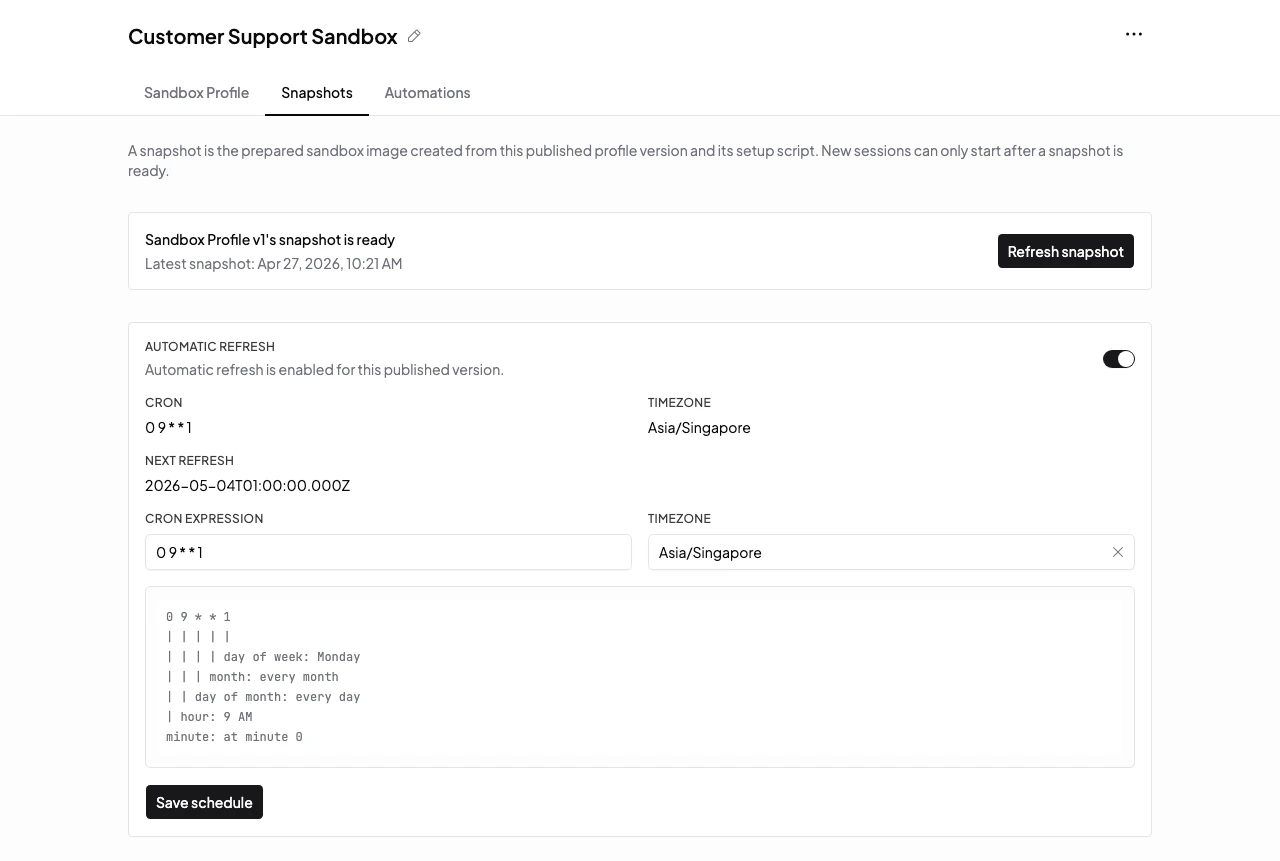
- Manual refresh queues a new snapshot job for an already published version.
- Scheduled refresh can queue snapshot jobs for profiles that need regular rebuilds.
- A profile version is not usable for new sessions until its published version has a usable snapshot image.
- Failed refreshes keep the existing usable snapshot when one already exists.
Check Snapshot Status
Snapshot status is shown on the sandbox profile version. Use it when a profile is not available for new sessions. Common states to look for:- queued or running: Mistle is still preparing the snapshot
- ready: new sessions can start from the prepared image
- failed: inspect the setup script and snapshot output, then refresh the snapshot after fixing the profile
What Snapshots Are Not
Snapshots are not per-session durable storage. They do not preserve the ongoing filesystem changes from a user’s sandbox session. Use snapshots when many future sandboxes should start from the same prepared image.Next Steps
- Read Sandbox Profiles for the profile lifecycle.
- Read Sessions for how users start agent work from a prepared profile.